
Showing posts with label doge. Show all posts
Showing posts with label doge. Show all posts
Friday, June 3, 2016

Monday, May 23, 2016

Tuesday, April 12, 2016
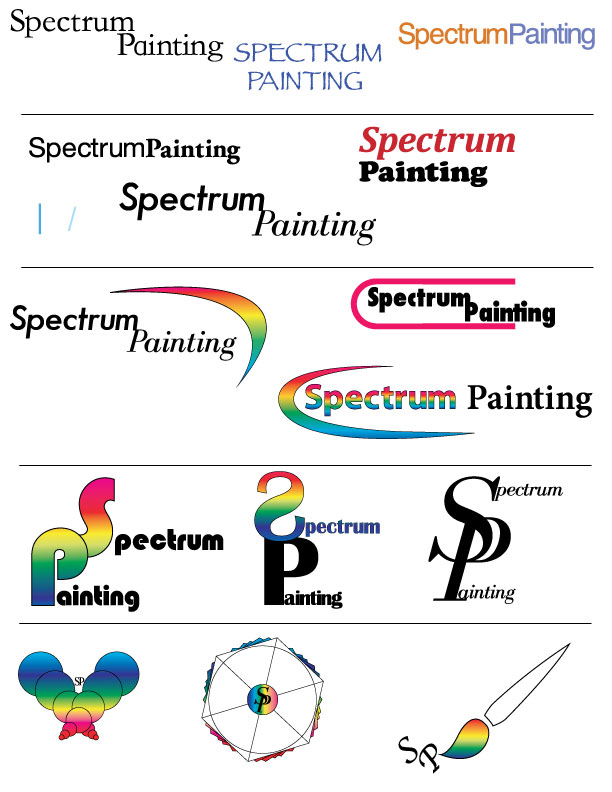
Friday, March 25, 2016


Monday, March 14, 2016

Thursday, March 10, 2016

Monday, March 7, 2016
Design Typography Notes
"fonts are the clothing that out ideas wear."
- Legibility: choose classical time-tested typefaces
Helvetica, Times New Roman, Palatino, Baskerville
- Serif vs Sans Serif: Serif reads best at smaller sizes, can be complementary
- Font Variance: Too many fonts confuse the reader
- Definition: Fonts that are too similar cause ambiguity
- Readability: Use UPPER and lower case letters for optimum clarity
- Alignment: Left alignment reads easiest, consider eye flow as it moves down a page
- Emphasis: Use these tools with discretion and without disturbing eye flow
- Integrity: Avoid stretching or distorting type
- Weight: Strive for a sense of balance
- Kerning: Spacing between the letters
Thursday, March 3, 2016

Wednesday, March 2, 2016

Monday, February 29, 2016
Color Theory
Design
- You see ROYGBIV because its the visual color spectrum
- Pigment generated model is: Red, Yellow, Blue
- Light generated colors: Red, Green, Blue
- Pigment generated is lighter and light generated is brighter
Color Mixing
- RGB: light generated model
- RGY: pigment generated model
- CMYK: print process model
Color modes
- Monochrome: tints, shades and tones of single hue
- Gray scale: black and white only
- Web safe RGB
Color Modification
- Tints: Add white to pure hue
- Shades: add black to pure hue
- Tones: Add gray to pure hue
Color Harmony
- Complementary colors opposite of each other on color wheel
- Split complementary
- Analogous colors are next to each other
- Triad: triangle in a color wheel
- Tetradic: rectangle in color wheel
- Quadrilateral: square in color wheel
Color Properties
- Cool,Warm, Bright, Dark, Saturated, Desaturated
- Color intensity changes in relation to its surrounding color
- Color associations are generated from different cultures
- Color increases brand recognition by 80%
- Pink is a tranquilizing color
Tuesday, February 23, 2016
Design: The Principals and Elements
What's Graphic Design?
- Design elements are the basic units of a visual image.
- Govern the relationship of the elements used and organize the composition as a whole.
- All imagery is comprised of elements that can be broken down and analyzed.
Design Elements
- Space- Gives design dimension and depth, can exist in two or three dimensions. Can refer to a positive or negative space, can refer to foreground mid or background elements.
- Line- Basic element, it can vary in thickness, texture, direction.
- Color- Can invoke mood or sense of time.
- Shape- Inorganic, Organic or Geometric shapes.
- Texture- You can imply texture or actually have texture.
- Value- Light and dark values of an image and all gradients in between, adds depth, contrast.
- Balance- Paying attention to visual weight of elements in design. Must pay attention to the visual weight.
Design Principals
- Unity- Creates sense of order, a consistency in size and shape. Proximity can create a sense of unity, it can also show a lack of unity.
- Variety- Elements in design work that are repeating but not similar, differences in repetition.
- Repetition- Can have repetition without variety, used to enhance meaning.
- Harmony- Similar elements throughout a work so everything supports each other.
- Proximity- Gives design work a informational hierarchy.
- Proportion- Things that are set equal to each other.
- Functionality- Something that has a purpose and delights the viewer.
- Emphasis- Helps make something stand out from rest.
Tuesday, February 16, 2016

Subscribe to:
Comments (Atom)